Smart AIM library

The Smart AIM library is a comprehensive collection of IaC and CI/CD templates for common Azure PaaS and IaaS components, with accompanying reference architectures for best practice assembly of the components with code to accelerate enterprise solution delivery.

Provisioning with Smart AIM library

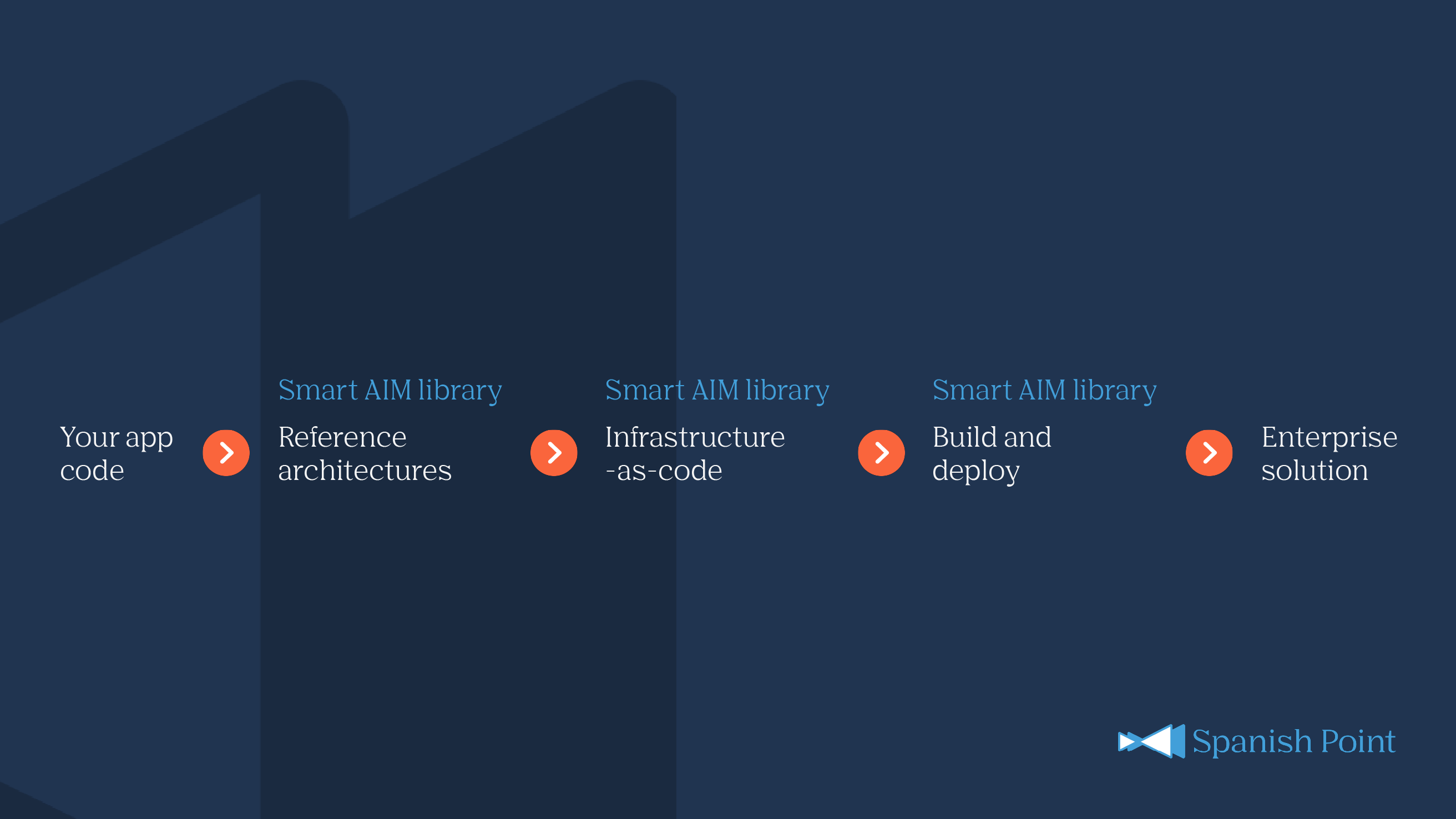
The Smart AIM library consists of infrastructure-as-code for automated provisioning and configuration of Azure resources, DevOps pipeline templates for building application code and deploying the code and infrastructure to Azure, and reference architectures for industry best-practice assembly of infrastructure to support the application in a secure and scalable manner.


Infrastructure-as-code

Use the Smart AIM library Infrastructure-as-code for automated provisioning and configuration of Azure resources. This includes Bicep templates, resource specifications and usage guidance.

DevOps pipeline templates

Leverage the Smart AIM library DevOps pipeline templates to build application code and deploy the code and infrastructure to Azure. This includes YAML templates and usage guidance.

Reference architectures

Ensure industry best-practice assembly of infrastructure to support applications in a secure and scalable manner. Markdown files with use case descriptions, Azure architecture diagrams and rationale are included.

Smart AIM library overview 2624x1476

What we can do with infrastructure-as-code

Smart AIM library infrastructure-as-code is used by ISVs and software companies to define their infrastructure, in advance of DevOps pipelines being used to build and deploy. This streamlines architecture validation and reduces complexity.

Resource provisioning
bicep

module thisStorage 'br/SMARTAIM:storage:latest' = {
  name: '${deployment().name}-s'
  dependsOn: [
    thisManagedIdentity
  ]
  params: {
    location: location
    managedIdentityUserAssignedIdentities: managedIdentityUserAssignedIdentities
    storageStorageAccounts: storageStorageAccounts
    tags: tags
  }
}
The Library consists of over 100 different Azure resource provisioning templates and associated automation scripts aligned with industry standards and best practices. The Bicep code snippet above is an example from the library for the instantiation of an Azure Storage Account. The code calls the thisStorage module in the Azure Container Registry to provision the resource with the specified parameter references. The params block maps the local parameter values in the repo to the property definitions required by the resource and expected by the referenced Bicep module. In this case the parameters for provisioning are the resource location, associated User Managed Identities, the parameters for the storage resource itself (storageStorageAccounts – see Defining the resource code snippet below) and tags. Smart AIM standardises the use of tagging to ensure consistency and traceability across all deployments.
Defining the resource
bicep

param storageStorageAccounts = {
  staticweb: {
    name: 'sptlsaappstaticweb'
    kind: 'StorageV2'
    isHnsEnabled: false
    defaultToOAuthAuthentication: true
    allowSharedKeyAccess: false
    sku: {
      name: 'Standard_ZRS'
    }
    accessTier: 'Hot'
    networkAcls: {
      bypass: 'Logging,Metrics,AzureServices'
    }
  }
  asset: {
    name: 'sptlsaappasset'
    kind: 'StorageV2'
    isHnsEnabled: false
    sku: {
      name: 'Standard_ZRS'
    }
    accessTier: 'Hot'
    allowBlobPublicAccess: true
    networkAcls: {
      bypass: 'Logging,Metrics,AzureServices'
      defaultAction: 'Allow'
    }
  }
  blobServices: {
    cors: {
      corsRules: [
        {
          allowedHeaders: [
            '*'
          ]
          allowedMethods: [
            'GET'
          ]
        }
      ]
    }
  }
}
Let’s look at the parameters for the storage account resource itself. These are defined in a .bicepparam file for which we see a snippet above. Used together with the previous provisioning code, this would instantiate storage accounts starting with a blob storage one called sptlsaappsstaticweb using the Standard_ZRS SKU with Hot access tier etc. Your solution may contain dozens, or hundreds of resources defined in this way. The update of a resource, or the adding of a new one means an update to the definition and a rerunning of the pipeline. An application team can declaratively specify the storage accounts they need—while Smart AIM applies enterprise security, networking, naming, and compliance standards.
Security
bicep

param networkPrivateEndpoints = {
  cognitiveServicesAccountsTextAnalyticsAccount: { ... }
  keyVaultVaultsAppsVault: { ... }
  documentDBDatabaseAccountsPrivateSql: { ... }
  searchSearchServicesPrivateSearchService: { ... }
  eventHubNamespacesPrivateNamespace: { ... }
  signalRServiceSignalRPrivateSignalR: { ... }
  storageStorageAccountsAssetBlob: {
    name: 'sptlsaappasset.blob'
    privateLinkServiceConnections: [
      {
        privateLinkServiceId: {
          resourceType: 'Microsoft.Storage/storageAccounts'
          name: 'sptlsaappasset'
        }
        groupIds: [
          'blob'
        ]
        subnet: {
          name: 'Applications'
        }
        privateDnsZoneGroups: {
          privateDnsZoneConfigs: [
            {
              name: 'blob'
              type: 'blob'
            }
          ]
        }
      }
    ]
  }
}
Smart AIM provides a consistent, flexible and automated deployment without compromising security. The Smart AIM library includes the toolset needed to achieve this while you define the infrastructure. This is another snippet from the parameters file. It shows the configuration of private endpoints for the storage account to create a network boundary around the resource that allows only trusted access.

param authorizationRoleAssignments = {
  providers: {
    dataFactoryFactoriesShared2StorageStorageAccountsDataAnalytics: {
      principalId: {
        name: 'sptlsmartaimda'
        type: 'Microsoft.DataFactory/factories'
      }
      roleDefinitionIds: ['ba92f5b4-2d11-453d-a403-e96b0029c9fe']
      scope: {
        name: 'sptlsada'
        type: 'Microsoft.Storage/storageAccounts'
      }
    }
  }
}
Finally, we will define the role-based access to the resource using RBAC permissions. This snippet shows the assignment of a Data Factory resource’s Managed Identity with permissions to the storage account. With no manual role assignment being required, Smart AIM delivers a secure, governed, and fully automated cloud framework with consistent permission control across all resources and workloads while ensuring strict security compliance.

Deliver at scale with DevOps pipeline templates

While the infrastructure-as-code part of the library defines the infrastructure, the deployment part contains pipelines to build and deploy it. Comprised mostly of YAML files, the library includes automated build pipelines, deployment workflows, pull request validation, and security scanning. 

salibrary_featurecarousel_collaborate_1312x640

DevOps pipeline templates

Stage templates

Smart AIM's DevOps pipeline templates include a Build layer which validates and prepares deployment artifacts, while the Deployment layer provisions resources across Azure environments, typically Development, UAT, and Production. 


The stage templates are tailored to have environment-specific configurations, allowing Smart AIM to deliver highly consistent deployments while still adapting to the unique needs of each environment.

Slide 1 of 5

Understanding reference architectures

With Smart AIM library engineering teams have the mechanics to declaratively define, build and deploy the Azure infrastructure for an application according to best practice. But what services are best to use, and in what configuration and SKU level?

Reference architectures

Putting it all together

Smart AIM library provides detailed documentation of multiple references architectures with a full set of infrastructure-as-code and DevOps pipeline templates in git source code, which can be directly cloned and executed.


Need assistance to refine these for your needs? Smart AIM includes opt-in architectural services to plan a solution for current and future needs. In fact, this step comes first so your engineering team knows the target architecture for hosting before the automated configuration is set-up.

Reference architectures

Plan generalised and specialised workload architectures

Written by Spanish Point's Azure Engineering team, the Smart AIM library reference architecture and guidance documentation, and accompanying optional design services, gives everything needed to plan both generalised and specialised workload architectures.

What we can do with Smart AIM library

Smart AIM is used by large enterprises, software development companies and independent software vendors (ISVs) to accelerate deployments and ensure consistent, best-practice configurations for each tool or app hosted in Microsoft Azure Services. 


By leveraging Smart AIM library, Spanish Point customers have: 

  • streamlined architecture validation
  • reduced complexity
  • enabled rapid, secure CI/CD in Microsoft Azure.
Application innovation and migration

Use Smart AIM, Azure services and modern development practices to support secure, sustainable innovation.

DevOps accelerator and developer productivity

Accelerate delivery by setting up high-performing DevOps environments and utilising Spanish Point's expert scripting and automation support.

Smart cost optimisation service

Smart cost optimisation helps ISVs monitor, analyse, and manage cloud costs across subscriptions and services.

Success stories

Kingspan

Designing a secure tooling and data integration platform on Microsoft Azure

Spanish Point designed and built DevLeo, a scalable tools platform that rapidly assesses, builds, deploys and manages web application tools for configuring or designing Kingspan products in the field.

Leveraging our expertise

Schedule a consultation today.